Steven Naviaux

Selected builds

The longer version of the lab.

The homepage gives the short version. These systems show the operating model behind the demos: what they are, what they prove, and what changed after the first clean demo stopped being interesting.

Visit NaviauxLab

Build 01

Talos Kubernetes Homelab

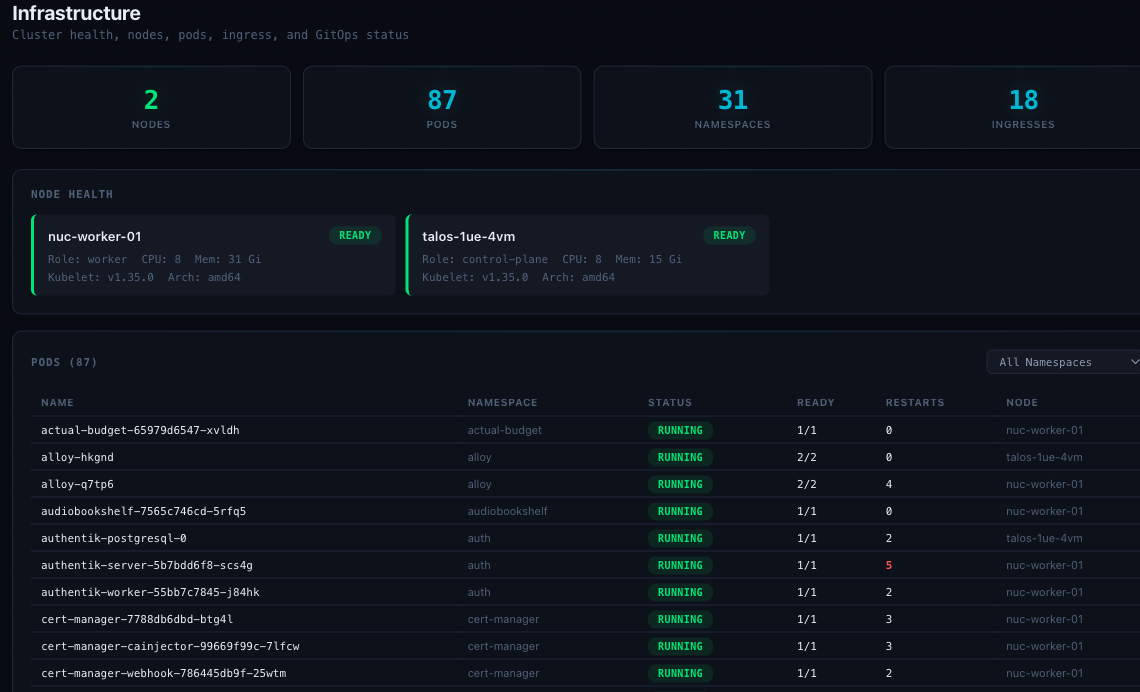
A small Kubernetes environment that behaves like real infrastructure because it has to. Immutable Talos Linux with no SSH surface, storage, ingress, secrets encrypted in Git, dashboards, backups, updates, and the occasional reminder that the network does not care about my intentions. The Git history is the receipt: 300+ merged pull requests.

Cropped infrastructure dashboard showing cluster health, nodes, pods, namespaces, and ingress status.

Why it exists

I wanted a place where architecture arguments have consequences. A diagram can make almost anything look clean. A cluster that runs for months will tell you which parts were actually clear, which parts were wishful, and which parts only worked because I remembered the trick.

The lab gives me a controlled place to practice platform operations without pretending it is harmless. Change management, rollback, observability, runbooks, drift, and backup testing all show up eventually. So do the failures: the worst one earned a written root-cause analysis, the same as production would.
What it proves

  • Git-managed infrastructure changes beat memory and vibes.
  • Private ingress, secrets, and access paths need clear ownership even in a one-person lab.
  • Monitoring is only useful when someone owns the response to it.
  • Recovery notes are part of the build, not an afterthought.

300+ merged pull requests of auditable change history · public ingress with zero forwarded ports · restore drill passed

  • Kubernetes
  • Talos
  • GitOps
  • Ingress
  • Secrets
  • Observability

Receipts

Git history, restore notes, and runbooks stay private by design. I can walk through them without exposing the lab.

Build 02

OpenClaw

A production deployment of OpenClaw, Peter Steinberger's open-source agent platform. More than a dozen agents run on it today, operated over chat. The point is not that agents can write code. We know that. The harder question is whether they can work inside a real operating model without turning every task into a foggy chat transcript.

upstream: open source operations: mine workspace: persistent context: carried forward tasks: explicit handoffs guardrails: boring on purpose

Why it exists

Agent demos usually end right before operations begin. Running OpenClaw is my attempt to stay with the unglamorous part: how tasks are created, picked up, reviewed, handed off, and kept from drifting into mystery meat automation.

The platform treats the workspace as the durable object: files, state, history, and constraints carry forward instead of starting over from a blank box. The parts I built live around that. Mission Control, a task-state dashboard running as a sidecar, and an execution policy with WIP caps, stale-task rollback, and closure notes.

When I audit it, I audit it the way an employer would: a six-failure-mode review, with per-run cost and latency telemetry to back it.

What it proves

  • Agents need task state, not just instructions.
  • The handoff is a product surface, even when the user is me.
  • Persistence is the feature and the attack surface.
  • How it is run is what separates a useful agent system from a clever toy.

more than a dozen agents in daily operation · audited across six failure modes with per-run cost and latency telemetry

  • Agents
  • Workspaces
  • MCP
  • Task state
  • Handoffs

Receipts

The operating model is public; task-state, cost, and latency views stay private.

Build 03

Life Hub

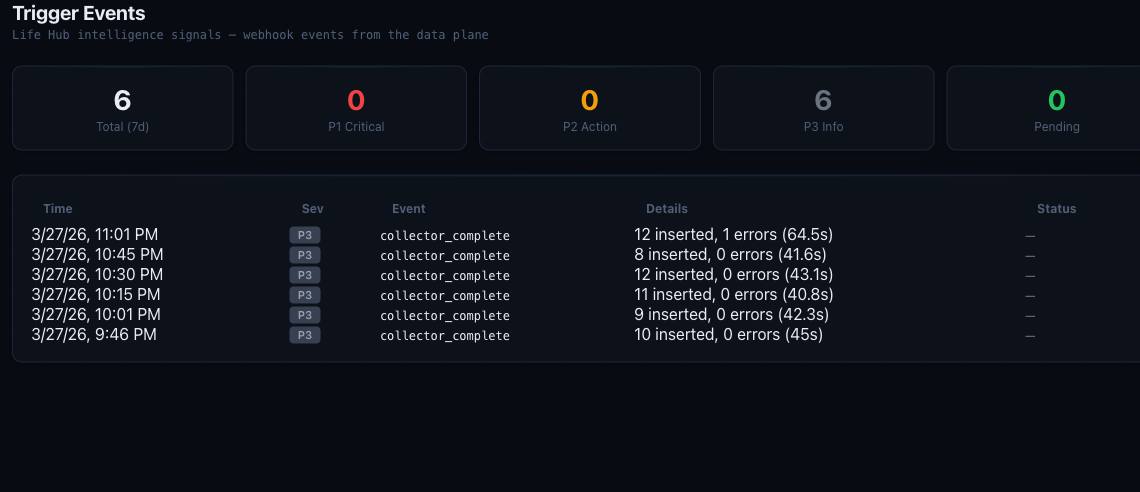
A personal operating picture that tries to answer a better question than "what happened." It pulls signals into one place so the system can ask what changed, what matters, and what deserves attention next.

Cropped Mission Control trigger events view showing Life Hub intelligence signals and collector status.

Why it exists

I wanted something more useful than a report: habits, sleep, mood, work, projects, signals, forecasts, and advisor commentary in one place, with enough context to act on. Twenty-odd collectors feed it on a cadence. Nine AI advisors interpret the results, and their disagreements are often the most useful signal.

The interesting part is not the chart. It is the translation layer between raw signal and decision. A metric should either change behavior or admit that it is decoration.

What it proves

  • Data without a review cadence is just storage.
  • Forecasts are better when they show uncertainty instead of pretending to be prophecy.
  • Advisor-style AI is most useful when it argues from evidence it can cite.
  • The best dashboard is a conversation with receipts.

in daily use · when several advisors independently flag the same domain, it escalates to an action item automatically

  • Dashboards
  • Forecasts
  • Signals
  • Advisors
  • Personal ops

Receipts

Three public field notes show the advisor, forecasting, and cross-module layers.

Build 04

Life Hub Brain

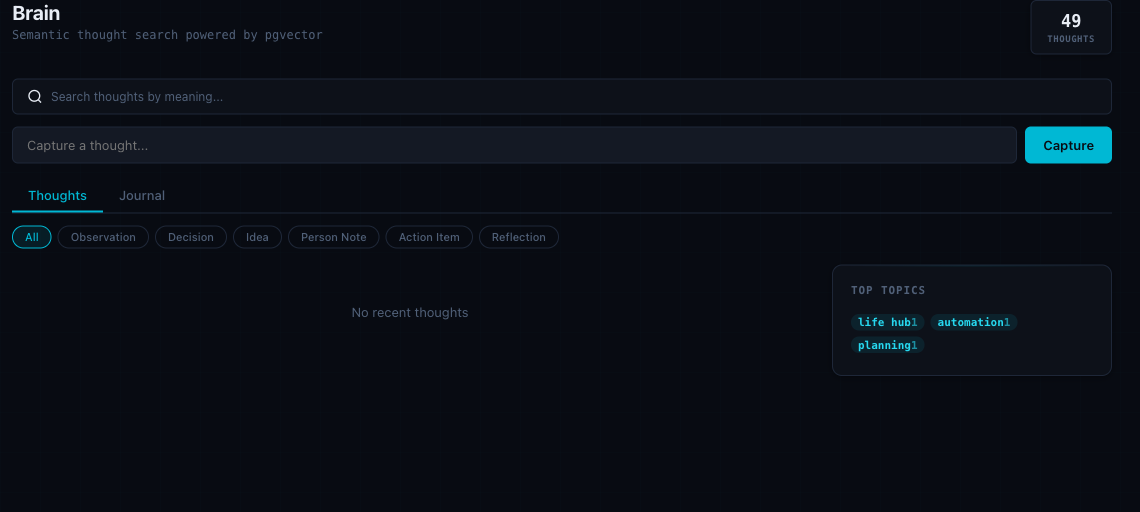
A memory layer for durable context, semantic search, and AI-readable knowledge. It starts from a simple complaint: useful assistants need better raw material than a blank chat box and whatever I remembered to paste.

Cropped semantic thought search interface with topic filters and search controls.

Why it exists

My notes, decisions, threads, and fragments were not failing because there was too little content. They were failing because the context was scattered, hard to retrieve, and mostly invisible to the tools that could use it.

It started as a build of Nate B. Jones's Open Brain architecture on Supabase. I hardened it, then rebuilt it from scratch inside Life Hub on pgvector, where the capture flows and the rest of the dashboard already live. The point held through both versions: make context durable enough to be found later and structured enough for AI workflows to use without pretending every thought belongs in a perfect folder.

The Brain is one layer of a wider practice: 4,000+ interlinked notes and more than eighty custom Claude Code skills that work them. The memory layer is what makes that practice retrievable.

What it proves

  • Memory is infrastructure when agents become part of the workflow.
  • Search has to support messy human recall, not just tidy filenames.
  • Capture needs to be low friction or the system starves.
  • Context is only useful if it can be retrieved at the moment of work.

4,000+ interlinked notes retrievable by agents over MCP · a design that survived a full rebuild from Supabase to pgvector

  • Memory
  • Semantic search
  • Context
  • Capture flows
  • AI workflows

Receipts

The repository and private memory stay private. The walkthrough covers the pgvector rebuild and retrieval model.

What I leave out

The public version is intentionally incomplete.

These are systems that actually run, so I write about them the way I would write about any production environment: no hostnames, no network paths, no secrets, no private dashboards, and nothing that would make the lab easier to attack. The repositories behind these builds stay private for the same reason. The public story is the shape of the work, not the attack surface. The receipts exist: Git history, runbooks, postmortems, and live systems that can be queried on the spot. Ask, and I will walk you through them.